Make sense of XOS.Enjoy your XPENG.
Practical UK guidance for XOS, voice controls, connected features and the car you drive.

Tools built around XOS.
Start with the functions XPENG owners use, question and troubleshoot most.
Find the right words
Find phrases for climate, navigation, windows and media. Library scope: UK G6 facelift on XOS 5.9.5; check the equipment and confirmation limits.
02 · FAULTSCheck what owners report
See live owner signals, practical checks and whether a fix helped.
03 · XOSCompare your version
Understand what changed before—or after—you install an update.
04 · SUPPORTBuild a clearer report
Turn symptoms and vehicle details into a useful support summary.
Only what applies to your XPENG.
Choose your model
Filter guidance, UK status, official sources and software by vehicle. Legacy P7 guidance remains available separately.
PLAIN ENGLISHSolve a problem
Keys, apps, screens, charging and everyday behaviour.
UK CONDITIONSTest a journey
Allow for motorway range, charging conditions, stops and a sensible arrival margin.
OFFICIAL SOURCESFind your manual
Open the correct XPENG documentation for your model.
Software is only useful when it makes sense.
Original UK explainers for connected features and the questions that come with owning an XPENG.
Start with the question you have.
Shared drivers, dashcam storage, connectivity and wiper fitment, alongside existing help for heating, tyres and charging.
Open the UK G6 reading desk →G6 · CONNECTED FEATURESMake sense of XCOMBO.
Understand a routine before enabling it. Start small, inspect shared actions and know what to record when it does not behave as expected.
Read the XCOMBO guide →UK OWNERSHIP · SEPTEMBER 2026 ANNOUNCEMENTKeep your support case moving.
What the UK operating change confirms, what still needs an individual answer, and how to make the next handover clearer.
Read the UK support explainer →New and updated guidance.
 G6
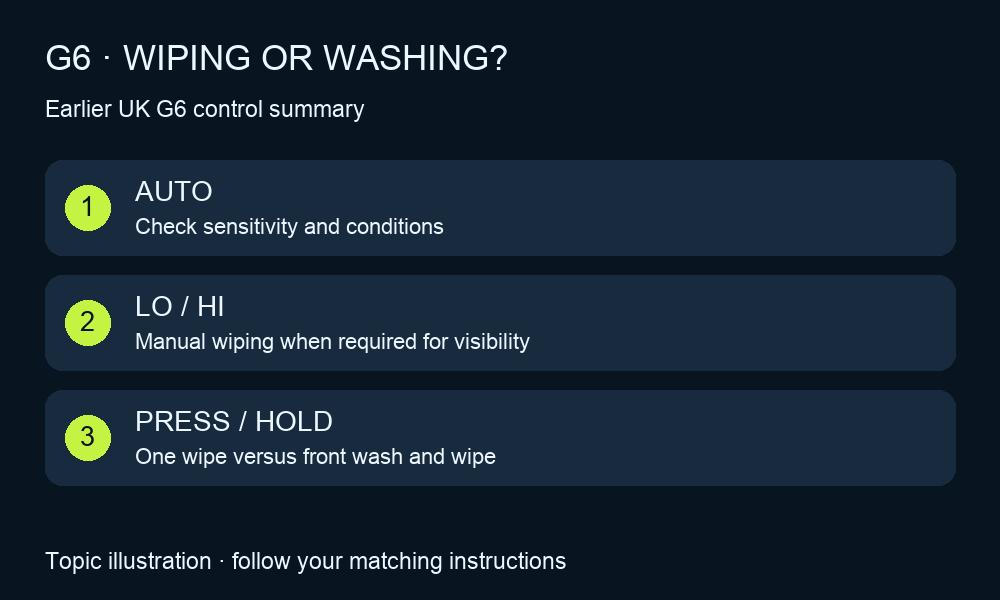
G6G6 wipers: AUTO, washer and rear-wiper controls
Check automatic sensitivity, press-versus-hold washing and rear-wiper cancellation on the earlier UK G6.
Read guide →G6Wrong speed limit on the G6 dash? Separate sign, warning and cruise
Understand G6 sign recognition, UK national limits and cruise-speed adjustment, then report a reproducible wrong reading.
Read guide →G6Clean your G6: screen mode and pressure-washer checks
Use the documented G6 screen-cleaning mode, prepare the exterior and avoid confusing it with a conveyor-wash procedure.
Read guide →G6G6 mirrors: adjustment, memory and reverse dip
Find the UK G6 mirror controls, separate profile memory from reverse dip and record a useful adjustment fault.
Read guide →G6G6 boot opening height: memory, clearance and recovery
Set the original UK G6 boot opening angle, check garage clearance and separate height memory from reversal or latch problems.
Read guide →G6G6 dashcam and USB recording errors
Protect important footage, distinguish camera functions and collect a useful report before replacing or formatting storage.
Read guide →