
OWNER ANSWER / MYXPENG
XPENG G6 Wireless Phone Charging Not Working or Overheating: Exact Checks
On the G6 covered by the 2025 RHD handbook, open Charging and Discharging → Power Supply and enable the pad you are using. Put the phone screen-up and slide it to the bottom along the limit strip; the charging icon shows it has been detected.
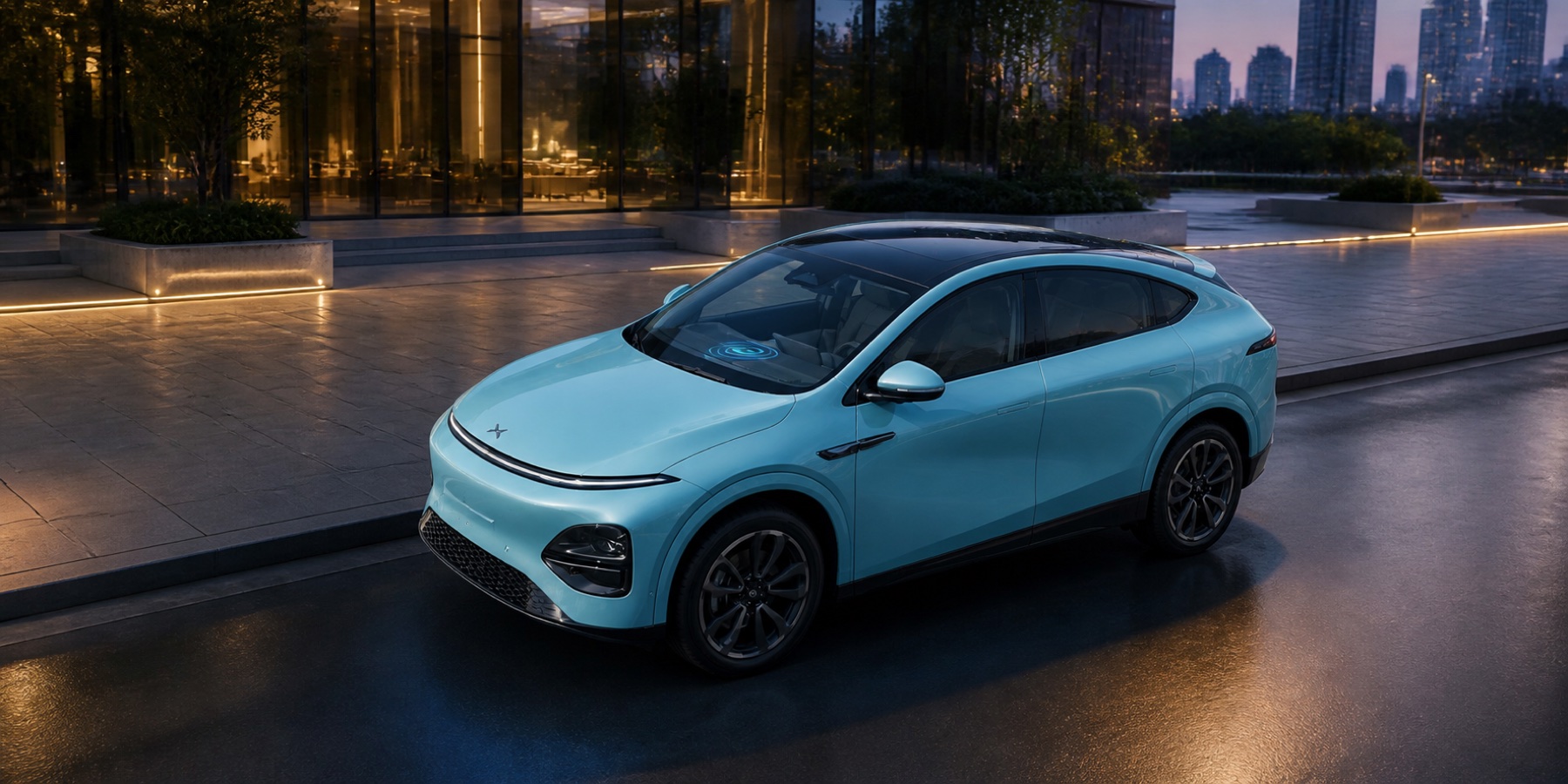
Use the driver/passenger pad fitted to your actual car and match its handbook/XOS controls.
Check the pad and phone together
- Park, check that the phone supports wireless charging and enable the correct driver- or passenger-side pad.
- Remove the thick/magnetic/metal-containing case and clear coins, cards and other objects. Keep the tray and cooling outlet dry and clear of obstructions.
- Place the phone screen-up at the bottom of the charging area, with its lower part covering the cooling outlet as the handbook diagram shows. Check the charging symbol.
- If charging cycles or the phone becomes hot, remove it and allow natural cooling. Close processor-heavy apps, then compare once without the case.
- Try a second compatible bare phone to separate a phone/case problem from a repeated pad failure. Use a cable if temperature protection keeps interrupting wireless charging.
Useful result: charging starts and continues without repeated interruptions. The handbook also notes interruptions during key searching and changes in vehicle/door state.
Pixel 10 shows a metal-object warning, but another phone charges
Remove the Pixel's case and accessories, make one parked comparison on the clear pad, and use Type-C charging if the warning returns. Google documents intermittent Pixel 10-series charging with some Qi1 in-car chargers; a second phone working helps you narrow the problem to the phone/pad pairing.
- Remove the Pixel from the pad. Remove its case, magnetic attachment, grip or other accessory and check the pad is clear. This compares the bare phone rather than assuming a case advertised as compatible with the phone is also compatible with the car.
- If there is no heat or damage warning, make one parked comparison with the bare phone placed as the G6 handbook describes above. Check whether the warning disappears and charging continues; stop the comparison if the warning returns.
- If the bare Pixel still triggers the warning while another compatible phone works, use the intended Type-C power socket described below for this journey. Keep the pad disabled for that phone instead of repeatedly dismissing the warning. For an unresolved compatibility check, identify the exact Pixel model, car generation/full XOS and bare-phone comparison.
Google recommends wired charging when its in-car wireless comparison fails. The socket instructions below let you keep the phone charged for this journey.
Use the charging socket if the pad keeps getting hot
For the same 2025 international English RHD G6, the handbook identifies a front Type-C power socket and rear Type-C charging sockets. This gives you a cable fallback without continuing to heat the phone on the pad.
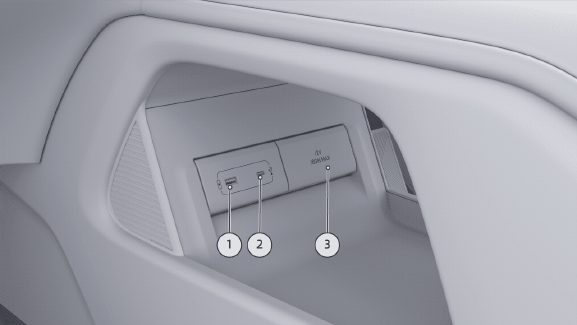
- Lift the phone off the wireless pad and let it cool naturally. Disable that pad in Charging and Discharging → Power Supply if you leave the phone in its tray.
- Connect a suitable charging cable to socket 2, the front Type-C power socket, shown above. The handbook rates it up to 60 W; the rear Type-C power sockets are rated up to 15 W. Those are socket limits, not a promise that your phone will draw that power. Do not use socket 1, the USB media connection, for charging: this handbook warns it can restart or blank the car's screen.
- Check the phone displays wired charging and continues charging without a temperature warning. If the same phone also refuses a known-working cable and power socket, check its own temperature/charging-protection message before blaming the wireless pad. If two compatible bare phones repeatedly fail on the enabled pad but charge by cable, use the pad-check branch below.
Useful result: you can keep the phone charged by the intended power socket while separating wireless-pad behaviour from a phone or cable problem. Match the illustrated sockets to your fitted car; these ratings and positions are for the stated handbook edition.
Stop for an overheating/foreign-object warning, smell, damage or a hot metal object. Keep metal/cards and external charging coils off the pad; follow handbook/device advice for implanted electronic devices and do not leave a phone charging unattended in the parked vehicle.
If two compatible phones still fail
Give XPENG the enabled pad, full XOS, warning and the two-phone result; ask it to check pad detection and cooling. If only one phone fails, check that phone’s charging compatibility, software and temperature/battery-protection settings.
Sources checked 23 October 2026: XPENG UK handbook, XPENG handbook. G6 international 2025 English RHD PDF 275–277; fitted pad and compatible phone required, exact menu/build matched.
Pixel comparison reviewed 26 October 2026: Google Pixel Help: in-vehicle wireless charging and Pixel 10 safety and charging guidance. Google describes some Qi1 in-car compatibility issues; this does not certify the G6 pad or a future fix.