
OWNER ANSWER / MYXPENG
XPENG G6 Automatic and Remote Parking: Step-by-Step Safety Guide
Select a suitable parking space and confirm the exact start, pause and end controls before letting the G6 move. The earlier UK phone procedure is hold-to-move/release-to-pause; the 2025 international RHD phone procedure instead uses Start Park-in and an explicit Pause control.
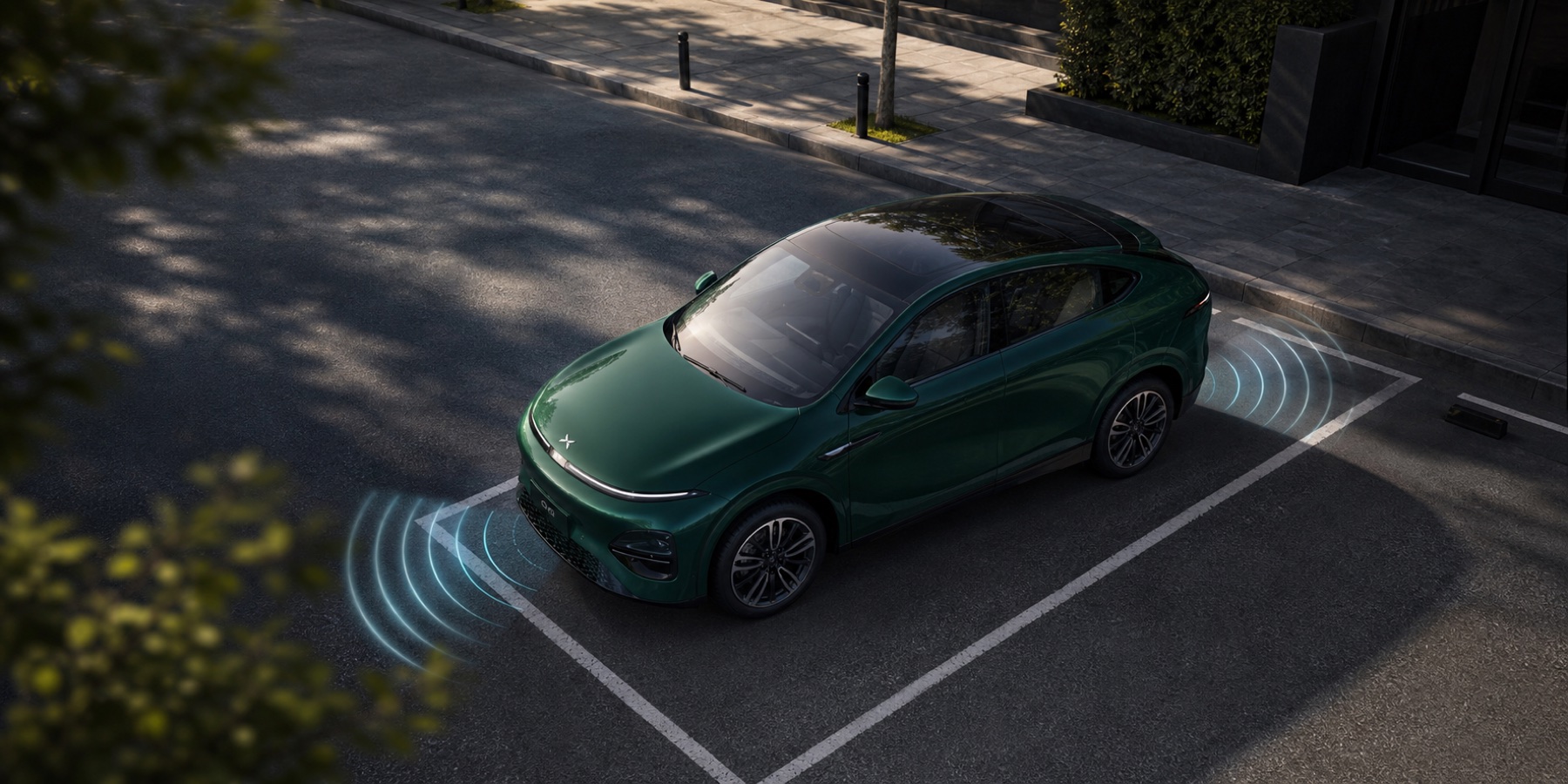
Earlier UK and international G6 handbooks use different phone-parking actions. Keep the two sequences separate.
What to do
- Match the supplied handbook, app/XOS and fitted feature. Inspect the whole legal parking area and the immediate stop method; leave remote parking unused if those controls are unclear.
- For the earlier UK space-search procedure, open vehicle settings → Driver Assistance → Parking and enable Intelligent Parking Assist. Tap Park on the screen to enter parking mode, then search below 14 mph about 1–2 metres from the spaces. Brake when the intended target is highlighted and tap that target.
- If remaining inside, check the surroundings, select Start Autopark and release the brake only as instructed. Keep ready to brake; braking pauses this procedure.
For the earlier UK remote phone route, select P, get out, close the doors and ensure nobody remains inside.
Open Intelligent Parking → Remote parking, wait for the mirrors to fold and hazards to activate, then hold the parking control while keeping the car and full movement area visible.
Release the control to pause; once safe, hold it again to continue. Stay near the car: losing the phone connection exits the function.
After successful remote parking, this edition switches to P, locks and powers off; verify its actual stopped and locked state.
For the 2025 international English RHD phone procedure instead, after selecting the space shift to P, leave with nobody inside and close the doors.
In the app open Intelligent Parking → Remote Parking. After the mirrors fold and hazards activate, tap Start Park-in.
Use Pause to stop the manoeuvre and Continue only when the area is safe; End Parking ends this off-vehicle parking procedure.
Releasing a finger is not its documented pause method. Do not combine the two app sequences.
- Confirm the vehicle has fully stopped and is correctly secured before leaving the completed manoeuvre.
What to expect: The intended target is selected, the known pause action stops the manoeuvre and the vehicle finishes stationary/secured. Equipment and software must match the selected procedure.
Keep the full movement area visible and clear, with nobody inside during remote parking. Take over immediately for danger, poor visibility, unstable connection or unexpected movement; assistance can miss obstacles.
Pull out of the space with earlier UK AEP
Parking-out assistance and Forward Reverse are different functions. In the earlier UK G6 handbook, Intelligent Parking-out Assist (AEP) is available after APA parked the car and the car has not been moved since. Forward Reverse, below, moves along a straight path; it is not the control for an assisted turn out of a parallel space.
- Check eligibility before selecting an exit. The owner's account must be signed in on the car and Intelligent Parking Assist enabled under vehicle controls → Driver Assistance → Parking. This earlier UK AEP sequence requires the car to remain where APA parked it. Inspect the whole exit path and traffic yourself. Leave APA/AEP unused on a ramp, uneven/icy/slippery ground, in heavy rain/snow/fog, with obscured sensors/cameras, or where a narrow street/space prevents a suitable manoeuvre.
- Choose inside-car or phone control. Inside the car, close the door, select R and tap Start Exiting the Parking Space on the centre screen. For this earlier UK phone layout, leave nobody inside, open the app's Remote parking and wait for folded mirrors and hazard lights, then press and hold the parking-out button. Keep the car and its full path visible and stay near it.
- Use the stop control immediately when needed. Inside the car, the brake pauses the manoeuvre. On this earlier UK phone route, release the parking-out control to pause; hold again only after the whole path is safe. Steering takeover exits APA in this edition. Do not transfer the later RHD app's tap-to-start/Pause procedure into this hold-to-move route.
- Confirm the finish, then take normal control. Inside the car, brake and take manual control once clear. On the phone route, release the control to pause. This earlier UK APA/AEP session exits if left paused for 30 seconds without resuming. Confirm that the function has ended and the car is fully stationary before approaching or re-entering. Do not assume the park-in promise of automatic locking/power-off also describes parking out. If the app or vehicle state is unclear, leave that route unused and use the inside-car/manual method.
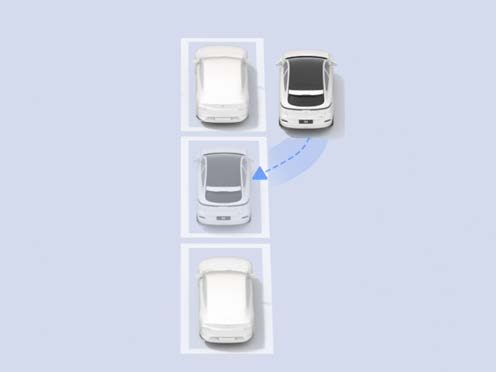
No parking-out control appears: check the owner login, APA switch and whether this was an APA parking operation without later movement. If those conditions or the matching controls are absent, drive out normally with sufficient access and visibility. A different app/build may offer a different procedure; the earlier UK prerequisites above do not establish a newly added feature on every G6.
Move straight forward or back with the phone
For the same earlier UK handbook, Forward Reverse is the app control for moving straight into or out of a space where entry to the car is awkward. It does not select a curved exit into the road.
- Prepare the clear straight path. Enable Intelligent Parking Assist under vehicle controls → Driver Assistance → Parking. Keep everyone outside the movement area, stay near the car with the phone key connected, and check the full path rather than relying on obstacle detection.
- Open Forward Reverse in the app. Wait for the mirrors to fold and hazards to activate. Choose the direction you actually need and keep that path visible.
- Press and hold to move; release to stop. Release immediately for danger or an unexpected response. Do not wait for automatic obstacle avoidance, and do not expect this straight-line function to steer around a parked car.
- Once fully stopped, tap Back to exit the function. Check that movement has ended before approaching. Use normal driver controls for the onward journey and secure the car normally when finished.
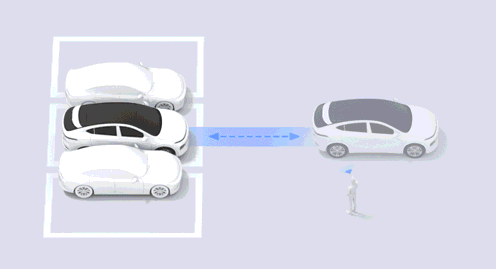
It exits or refuses to move: this edition ends Straight Line Summons if the phone is too far away, Bluetooth disconnects, obstacle avoidance triggers three times in one use, or no forward/reverse command is made for more than 30 seconds. Restore a stable nearby connection and inspect the path; repeated obstacle stops are a reason to stop the attempt, not keep overriding it. If clear-path movement still fails, retain the exact app/full XOS, selected function and message for that control-path check. Keep these earlier UK controls separate from later handbook editions.
If that did not work
If connection, sensing or movement is unreliable, leave the feature unused and ask XPENG to check the exact app/XOS/parking-control combination. Give it the selected mode, target, warning and which pause/end control was available; do not recreate danger for a recording.
Inspect for low/overhanging objects, people, animals, kerbs and drops. The cited international manual has incomplete translated warning passages, so it does not remove the need for the complete matching supplied instructions.
Sources checked 23 October 2026: XPENG UK handbook, XPENG handbook.
Parking-out and straight-line controls checked 27 October 2026: earlier UK G6 handbook, printed 89–94 / PDF 90–95. AEP prerequisites, inherited APA pause/control limits and Forward Reverse/Back are distinct from the later RHD app procedure already labelled above.